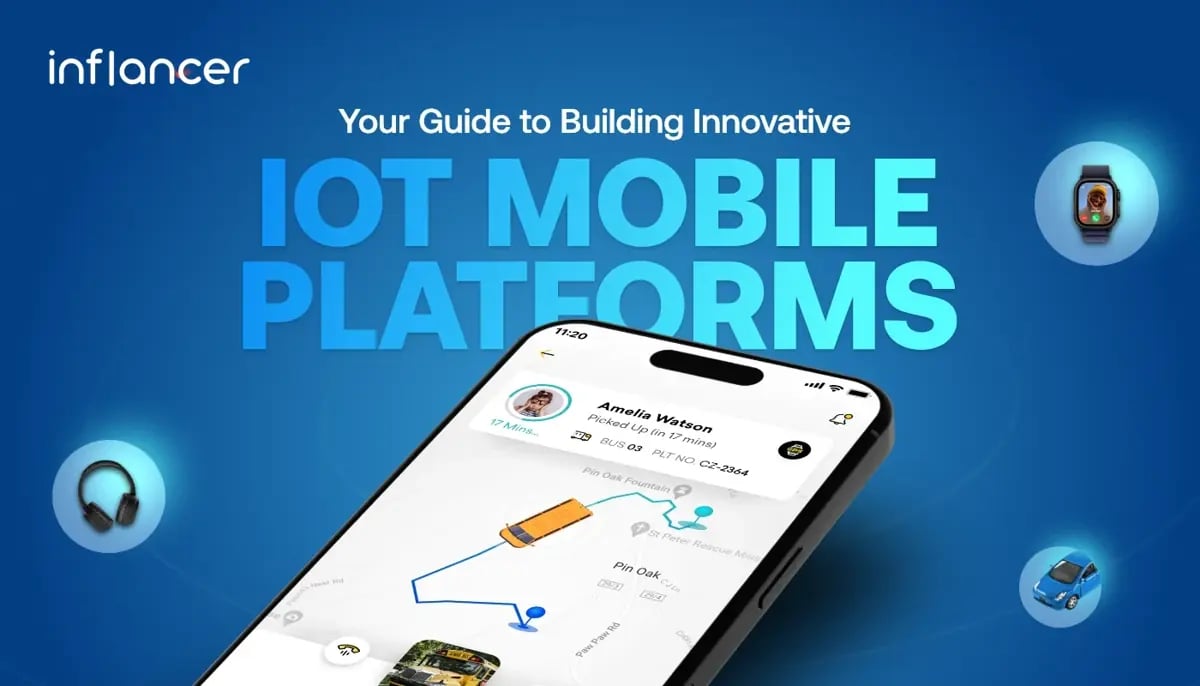
Device interconnectivity is increasing every year. People connect gadgets like headphones, GPS trackers, car systems, and smartwatches to their phones in their daily life for convenience. Likewise, businesses use IoT (Internet of Things) to manage assets, enhance safety, and save energy.
Have you heard about this connectivity through Internet of Things? The IoT market is growing at a rapid pace. It is expected that 28 billion devices would be connected by 2025. The global IoT market would reach $1.5 trillion by end of 2027 with industrial IoT holding the largest share.
IoT is a reliable network of connected physical objects like cars, appliances, and household items. These objects use software, sensors, and connecting devices to collect and share data over the network. While many associate IoT with smart devices that simplify daily life, it also includes the Internet of Medical Things and industrial IoT, which automate industries like construction, manufacturing, and oil and gas.
The central hub to control all these connected devices and sensors in the business environment is MOBILE APPLICATION. Let’s break down the layers of an IoT app, learn how to develop one from scratch, and explore its potential costs.
Layers of an IoT Mobile App
There are 4 layers of an IoT-based mobile application. Have a look.
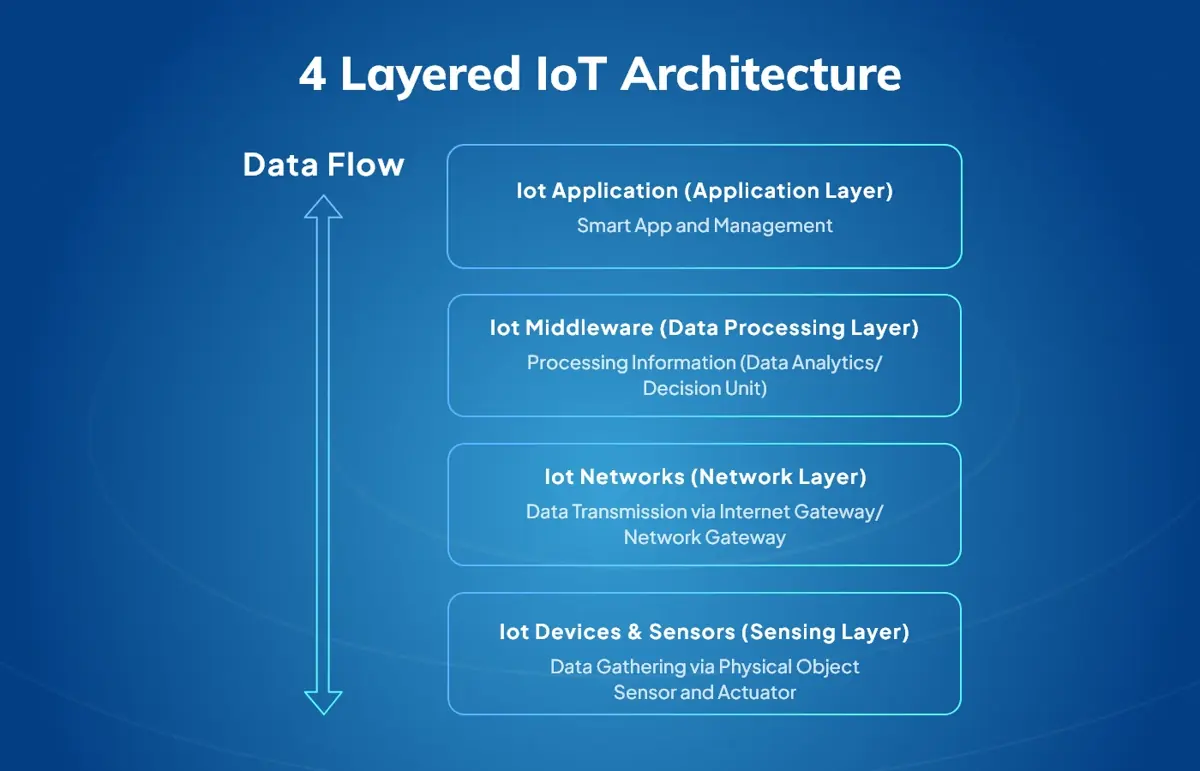
IoT-connected Devices and Sensors:
The first layer of an IoT app is the connected sensors, devices, and actuators. These devices can collect data like temperature, motion, and geolocation. This data is transferred to the app’s interface. Known as the perception layer, it collects and transmits data for additional analysis or remote control.
IoT Networks:
IoT sensor data is sent to the main application through networks. Common options include Wi-Fi, Bluetooth, 5G, Ethernet, RFID, and LPWAN. The network type depends on the device’s range: Bluetooth or Wi-Fi work for close-range devices like smartwatches, while cellular or LPWAN is better for long-range devices like tracking sensors.
IoT Middleware:
Next is IoT Middleware in which sensor data is processed. APIs organize and format the data into a user-friendly form. The data is first collected in a data lake, then structured and stored in a data warehouse, with cloud storage playing a crucial role. IoT apps show real-time and historical data, often using machine learning algorithm for better analysis.
IoT Application:
Users can view IoT data and control devices through the app. The interface shows data in simple formats, like graphs, and allows users to send commands, such as turning lights on/off or adjusting the temperature.
IoT layers are crucial in app development as they structure the flow of data and functionality. All these layers ensure seamless data collection, communication, analysis, and user control, providing a well-rounded and efficient IoT app experience.
Read More: A Comprehensive Guide to Internet of Things
Steps to Build an IoT Integrated Mobile App
Building an IoT-integrated mobile app platform demands a strategic approach to ensure seamless connectivity, smart features, and an intuitive user experience. Through IoT mobile app development and IoT application support solutions, businesses can integrate devices, enable real-time data sharing, and leverage advanced analytics. Read here key steps, from design to deployment, to build scalable and innovative IoT-enabled platforms that deliver unmatched value and performance.
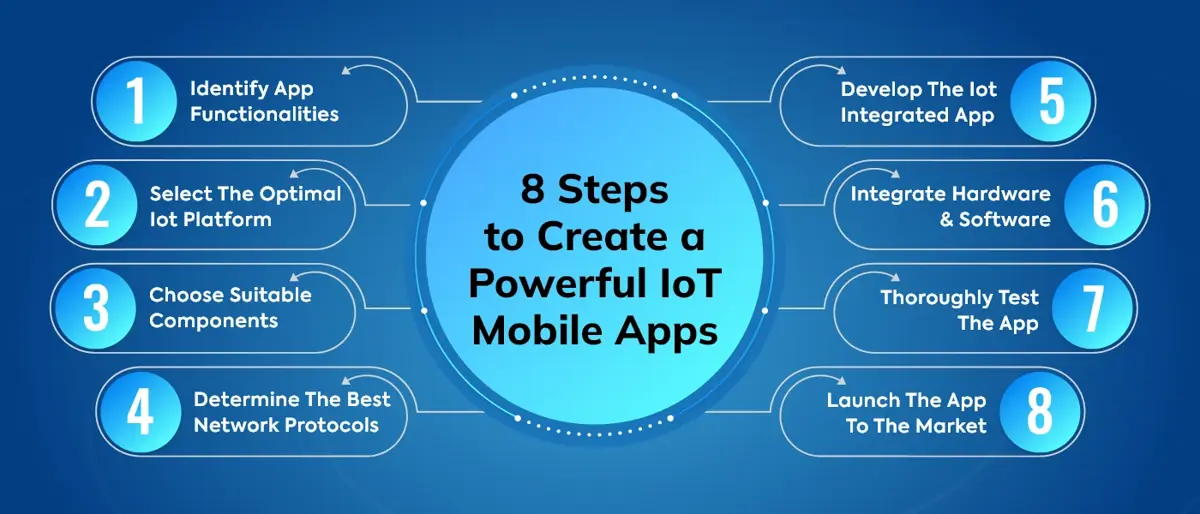
1. Define App Requirements
Before you start developing an IoT app solution, discuss with your development team to clearly define the look and feel of final product, IoT app functions, purpose, target users, and major features.
Functional Requirements of an IoT App:
- Data Collection: Specify data types, frequency, and expected volume.
- User Control: Define app features like status monitoring, settings, and alerts.
- Real-Time Monitoring: Decide on real-time updates and alert speed of an IoT app.
- Data Visualization: Identify tools to get insights through charts, graphs, and dashboards.
- Device Compatibility: List IoT devices and ensure support for Wi-Fi, Bluetooth, or Zigbee.
Non-Functional Requirements of an IoT App:
- Performance: Set response times and the app’s capacity for concurrent users.
- Scalability: Plan for adding IoT devices or expanding the user base.
- Security: Include encryption, authentication, and secure access controls.
- Reliability: Specify uptime importance for the app and connected devices.
- Usability: Ensure an intuitive interface and consider accessibility needs.
- Compliance: Adhere to regulations like GDPR, HIPAA, or privacy standards.
- Integration: Define requirements for third-party services or APIs.
- Maintainability: Outline plans for updates, support, and documentation.
2. Select the Best IoT Platform
An IoT platform is critical for your app, providing tools for data collection, data processing, and data analysis. Pick a platform that aligns with your app’s objectives, supports your hardware, and matches networking standards. The right platform eases the development process, reduces expenses, and ensures app success on a broader scale.
Scalability, security, interoperability, and usability are the vital aspects that help to choose a reliable IoT-integrated mobile platform. The most common platforms are AWS IoT, Azure IoT, Google Cloud IoT, and IBM Watson IoT. All these come with features like device management, data storage, and analytics.
3. Choose Appropriate Hardware Components
Select the appropriate sensors, microcontrollers, and actuators based on your IoT application’s use case and specifications. This helps ensure compatibility with your platform, support required protocols and data formats. Check if the platform provides SDKs or APIs for easy integration. Firmware, which controls hardware, should match your sensors, support protocols, and ensure reliability and security.
Before adding components to your app, test them to make sure they work properly. This will help avoid compatibility issues during integration with your IoT platform. Ultimately, confirm that the hardware is compatible with your platform and communication protocols to ensure smooth device communication and app functionality. Apart from these, once the hardware components are identified, choose a reputable supplier known for quality, good customer service, and reliable products.
4. Pick the Right Network Protocols
The network protocols are responsible for data transition to the cloud storage servers. Check if essential factors including power consumption, data transmission speed, range, and security are compatible with existing infrastructure.
Pick a network protocol such as MQTT, CoAP, HTTP, or Zigbee that fits your requirements. The protocol helps IoT devices communicate with the application. The right network protocol ensures your IoT app runs efficiently with low power use and high security. Common IoT protocols are Wi-Fi, Bluetooth, Zigbee, and LoRaWAN.
- Wi-Fi is the best choice as it needs quick data transfer and long range.
- Bluetooth works well for low-power devices with short-range needs.
- Zigbee is an ideal network option for large setups.
- LoRaWAN offers long-range and low-power connectivity.
5. Develop an IoT Integrated App
There are a few simple steps to develop software for an IoT app, optimizing app functionality and efficiency.
- Select a programming language & its experts, like Python developer, C++, or Java developers.
- Create a module to process and analyze data from IoT devices.
- Build a user interface for users to interact with the app, see data, and control devices.
- Add security features, like encryption and authentication, to protect data and devices.
- Test the software to make sure it works with the devices and network.
- Once ready, deploy the software to a cloud platform or local server.
Related reading: AI in Construction: The Future of Smart Building
6. Integrate Hardware and Software
An IoT app has ability to connect all the hardware and software components, and determine if they are working well. The process is easy; the hardware collects data first, and then, the software processes it to provide insights and control the devices.
Here are the steps given below-
- Set up the hardware devices with the required software and settings to enable communication with the app.
- Use a communication protocol like Wi-Fi or Bluetooth to link the devices and the software.
- Add device management features like remote updates and diagnostics, to ensure devices work properly.
- Test the connection to make sure the hardware and software communicate well.
- Set up monitoring and alerts to detect and fix any connection issues.
7. Test the App
Testing should be done throughout the IoT app development process, not just at the end. It helps create future updates and meets user needs. The team will fix any issues that come up.
Start by defining what needs to be tested, then create test cases for all features, including functional and non-functional tests. Run the tests to find any bugs or issues, and track them until they are fixed. Test the app on different devices and operating systems to ensure it works on all platforms. Finally, conduct user acceptance testing to make sure the app meets user expectations.
8. Launch the App
Once testing is complete and everything is in order, you can launch your IoT app. Define your launch strategy, including the target audience, promotion channels, and KPIs.
- Optimize your app store listing with clear descriptions, screenshots, and videos.
- Use social media and influencer marketing to promote the app.
- Monitor app performance and user feedback post-launch, and analyze data to track success and find areas for improvement.
Contact Inflancer for IoT-integrated mobile platform development. We have expert mobile app developers to work on your requirements. Our team works on a client-centric approach to provide top-quality work and improve customer experience. We have completed 1450+ successful projects so far and have a 98% project success ratio.
Hire Inflancer, Your Trusted Partners for IoT-integrated Mobile Platform Development.
Frequently Asked Questions
Get the weekly updates on the newest brand stories, business models and technology right in your inbox.